After creating a Job BOM Usage Report, you can export Job BOM data to Saberis (if applicable) or create another Import-Ready Exports you can share.
You can access your Job BOM page in two ways.
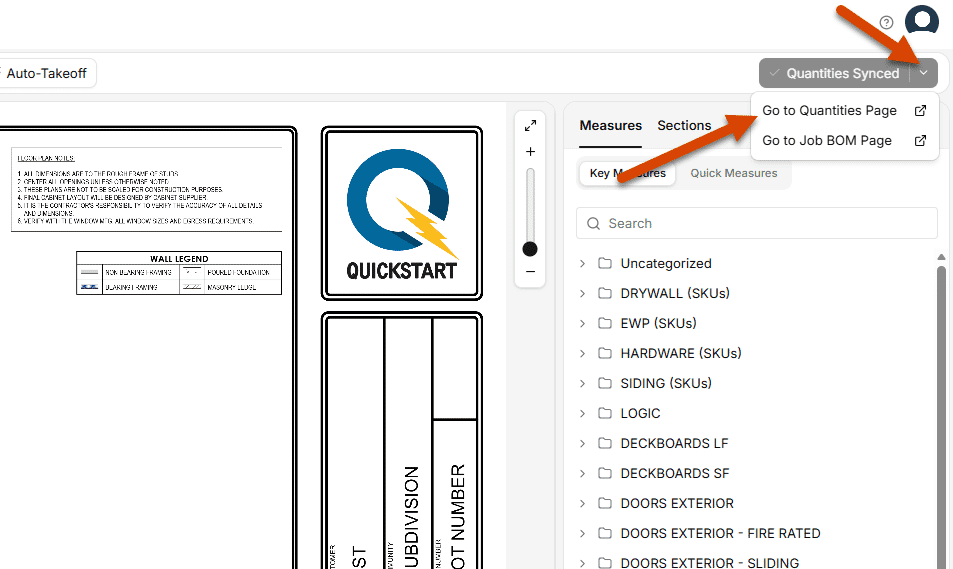
Access the Job BOM Through the Takeoff Workspace
- Go to the Takeoff workspace.
- Select the dropdown arrow on the right side of the Sync Quantities button.
- Click the Go to Job BOM Page button.
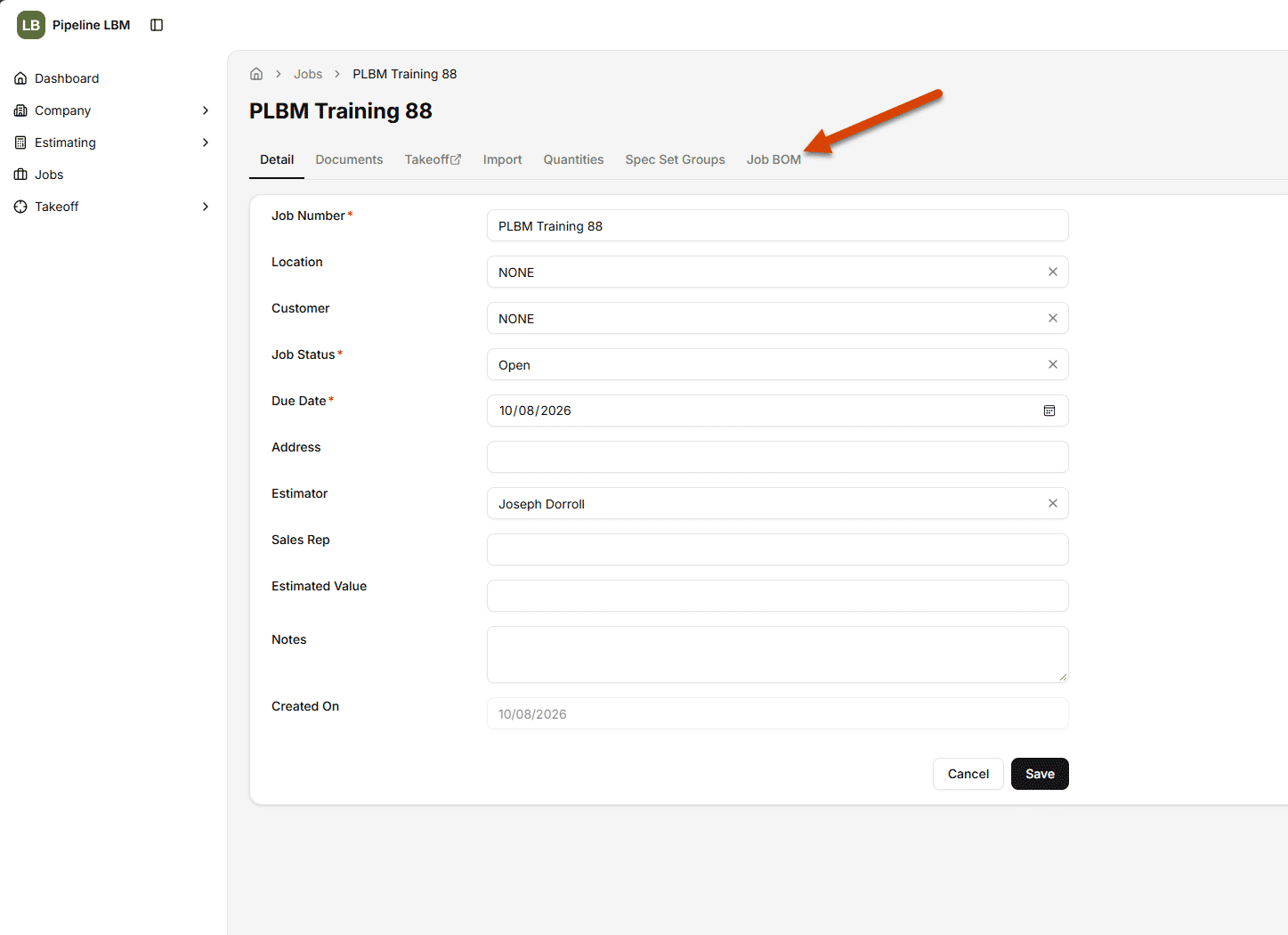
Access the Job BOM Through a PLBM Job
- Open a PLBM Job.
- Select the Job BOM subpage.
Generate a Bill of Materials
- On the Job BOM page, click the ellipsis to the right of the BOM field.
- Select Download Sales Documents when it pops up as an option. The Download Sales Documents dialog will open.
- Select the Job BOM Usage Report file type (Excel or PDF), then select Download in the bottom right.
Once the file has downloaded to your computer, you can click to open it and review your Bill of Materials.