About this task: It is important to know that, in order for PlanSwift data to import to a Pipeline LBM Job, the names need to be identical. If a Job name needs changed in PlanSwift to match the Job name in Pipeline LBM the following steps can be used to change the name.
PlanSwift: Changing a Job name
- Within the PlanSwift tab at the top of the screen, locate and click the Open button.
- Select the Job that needs a name change.
- Click Properties.
- Within the Properties field, click Advanced.
- Update the Job name listed in the “Name” field and click OK.
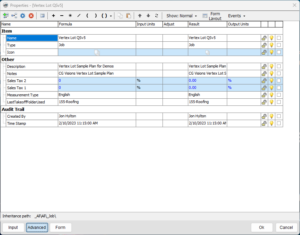
Result: The Job name will now appear as changed.