Use the Job BOM Usage Report to review product usage, quantities, and section-level organization for a Job’s Bill of Materials.
Generate a Job BOM Usage Report
- From the main Jobs page, use the Blue Navigation Bar to open the Job BOM page.
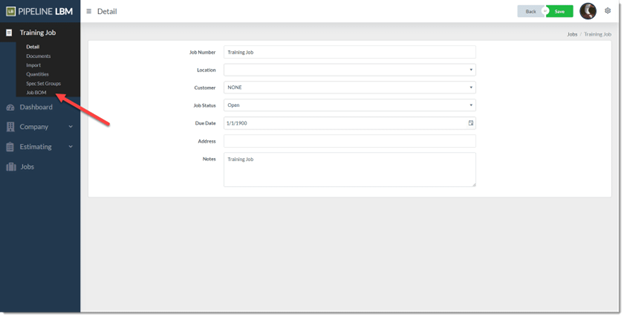
- Click the … (ellipses) button, which is beside the + (plus) button. Then click Download Sales Documents.

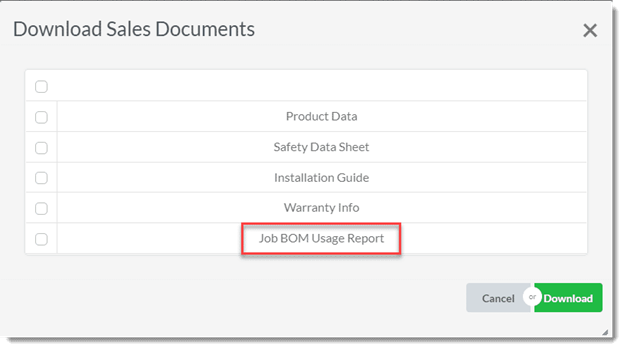
- Mark the checkbox next to Job BOM Usage Report in the Download Sales Documents window that opens. Then click Download.
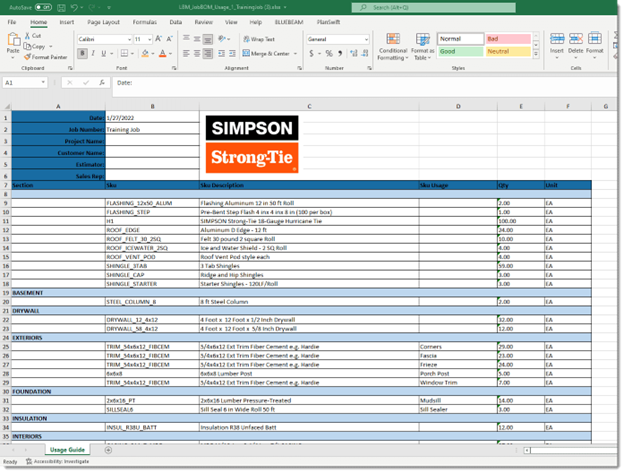
- Open the downloaded file from your computer. This report displays your Bill of Materials.
Notes
- The BOM defaults to sorting by Sections. This is determined when the Job BOM is first generated.
- You must have generated the Job BOM before exporting the report.
- The report reflects the quantities and Section assignments established after importing Job Quantities.
- If your BOM contains multiple Sections or uses, the report groups them accordingly.